

How it works
Import your route
Upload a GPX file directly, or sync routes straight from RideWithGPS or Strava.
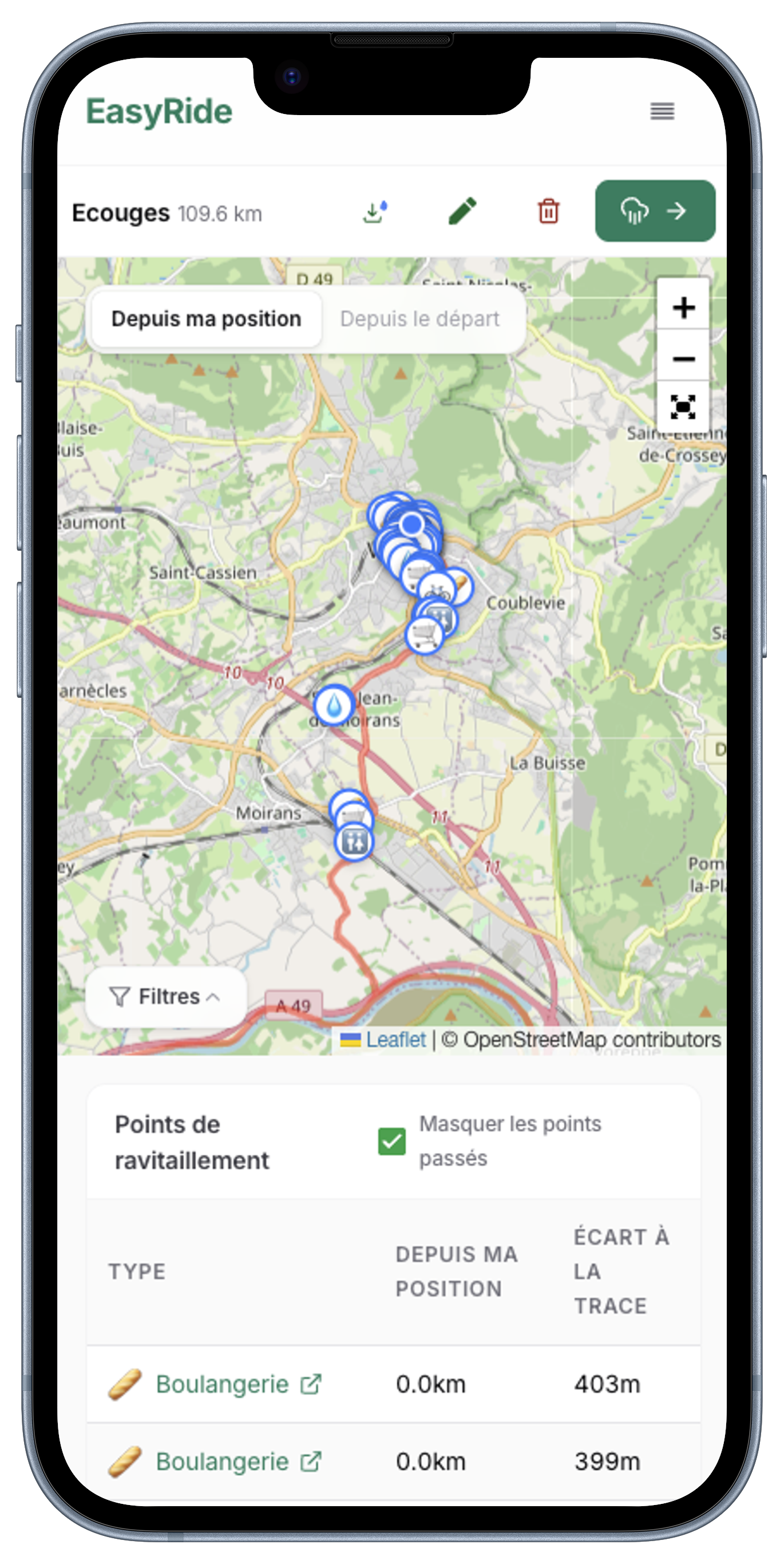
See nearby supplies
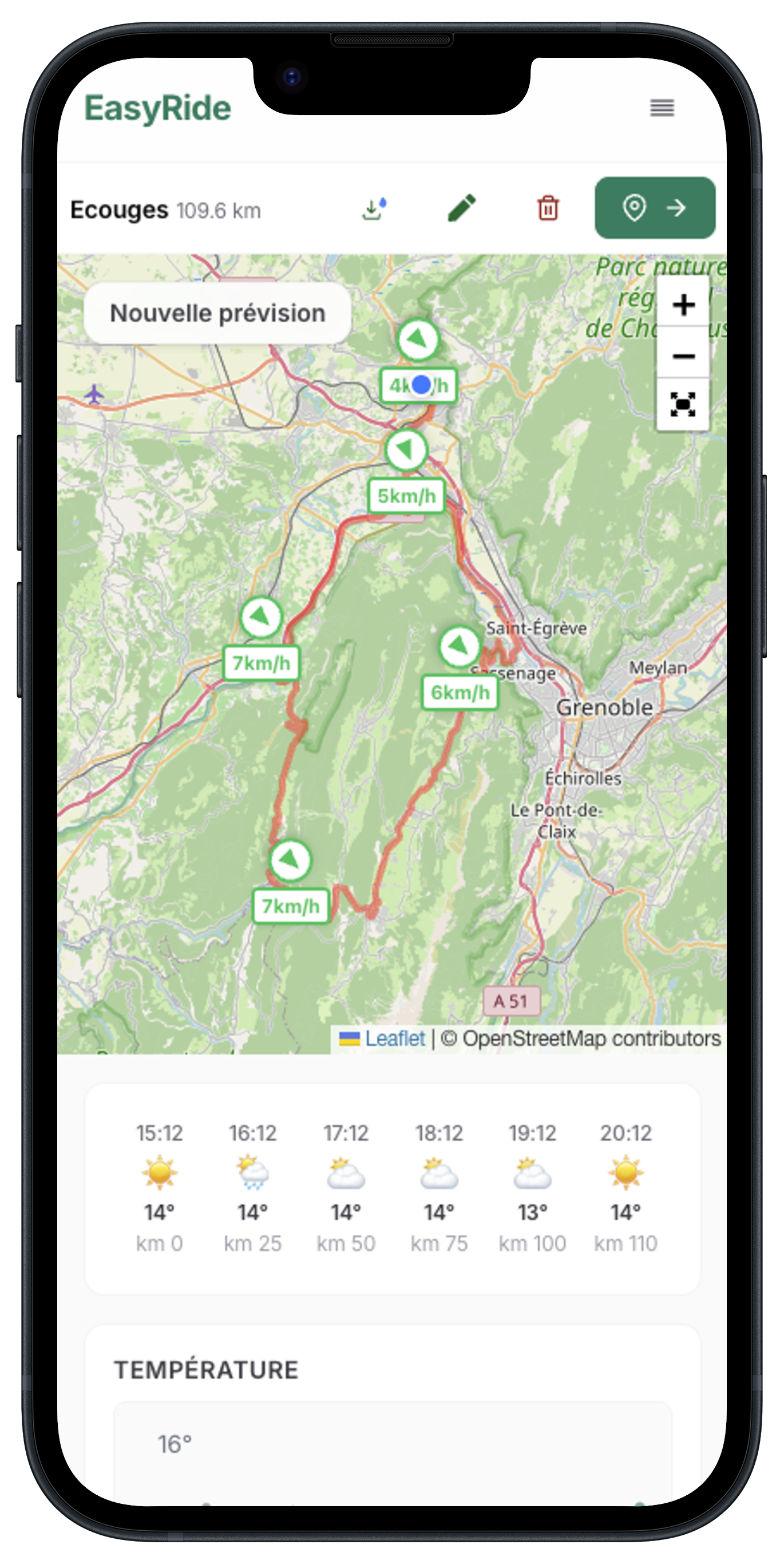
Visualize your track with all the supplies along the way — fountains, supermarkets, bakeries and more.
Check the weather
Switch to the weather tab for a precise forecast along the track, whether you start now or schedule a later departure.
Take it on the road
Download the enriched GPX with POIs included, or export it back to your favorite platform in one click.
Frequently asked questions
Is EasyRide free?
Yes — uploading routes, viewing weather forecasts and finding supplies along your ride is free. Donations on Ko-fi help cover hosting costs.
What can I import?
You can upload a GPX file from any device, or import your routes directly from RideWithGPS or Strava.
Do I need an account?
No account is needed to view public tracks. A free account is required to upload your own tracks.
Where do the supplies and weather data come from?
Supply locations (water fountains, bakeries, supermarkets, pharmacies) come from OpenStreetMap. Weather forecasts are provided by WeatherAPI.com.
What's the difference between uploading a GPX and Around Me?
Uploading a GPX plans a specific ride. Around Me shows supplies near your current location — useful for unplanned rides or finding the closest fountain mid-ride on your phone.
Is my GPX data private?
Yes. Tracks you upload can only be viewed when logged into your account, and there is no public sharing feature.
Why should I share my position with EasyRide?
Sharing your position lets EasyRide compute supplies and weather forecasts from where you actually are along the route, instead of always from the start. Distances to fountains, supermarkets and pharmacies are recalculated relative to your current location, and the weather forecast can begin at your real position so the conditions you see match what you'll actually ride through. Your position is only used in your browser to update what's shown — it's not stored.
What is the difference between "Eau" and "Fontaine"?
"Eau" corresponds to OpenStreetMap data tagged as "drinking water". "Fontaine" covers other water points without that tag, but also without a "non-drinking water" tag. In France, for example, city fountains are often labelled "Uncontrolled water" without posing real risks. Always follow the regulations posted at the water point. EasyRide cannot be held responsible in case of ingestion of unsafe water.